
Follow this guide to understand how you can upload your complete promotion calendar directly into SKUtrak Promote.

To upload your Promotion Calendar:
- If you have an existing template, please ensure this has the assigned headers to map correctly against SKUtrak Promote. For ease, we recommend downloading the Promotions Template, which can be accessed using the link below or in platform within the Upload Zone once you select the "Upload Promotions" button .
We provide an example upload file that shows:
- Required fields
- Recommended best-practice fields that improve insights and forecasting
Note: If you’re having trouble getting your data into the required structure, that’s okay. Share what you have with the Crisp SKUtrak team, and we can handle the transformations required to load it.
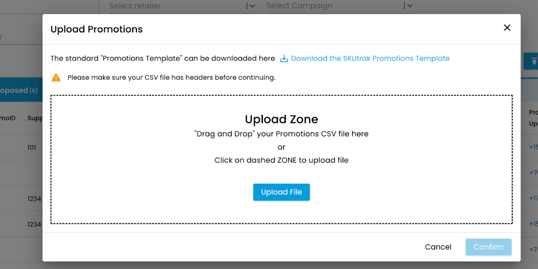
2. 🎉Once you have uploaded your file, and it has been confirmed as a successful upload, this will appear within your Promotion library under ‘Drafts’.
Discover what promotional statuses mean and how to change them to planned in our guide here.